Introduction
Microsoft Sentinel becomes powerful only when it has visibility into your environment.
That visibility comes from:
Data connectors.
Without the right connectors configured:
- threats remain hidden
- alerts become incomplete
- investigations lose context
- security monitoring becomes fragmented
Data connectors allow Microsoft Sentinel to ingest telemetry from:
- Microsoft services
- cloud platforms
- endpoints
- firewalls
- servers
- third-party security tools
In this article, we explore the most important Microsoft Sentinel data connectors every organization should prioritize.
What Are Microsoft Sentinel Data Connectors?
Data connectors are integrations that send logs, alerts, and security telemetry into Microsoft Sentinel.
These connectors allow Sentinel to:
- collect security data centrally
- correlate events across systems
- generate analytics alerts
- improve investigations
- automate response workflows
The more relevant visibility Sentinel has, the more effective threat detection becomes.
Why Data Connectors Matter
Security tools often operate in silos.
For example:
- identity logs may exist in Entra ID
- endpoint alerts in Defender
- firewall logs elsewhere
- cloud activity in Azure
Without centralized visibility:
- incidents become harder to investigate
- suspicious patterns are missed
- attackers remain undetected longer
Sentinel connectors help unify this data into a single security operations platform.
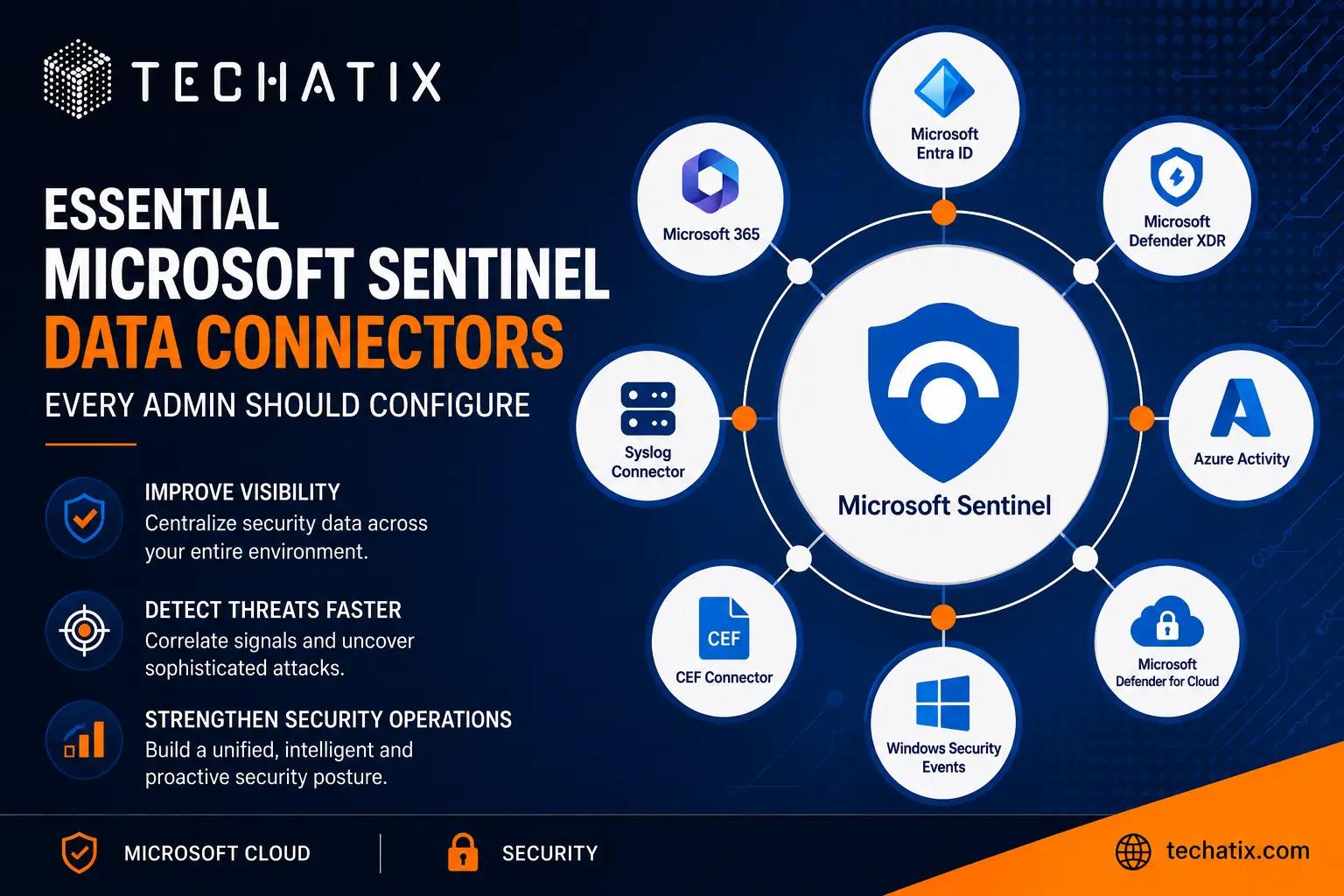
Essential Microsoft Sentinel Connectors
1. Microsoft Entra ID Connector
One of the most important connectors to enable first.
This connector provides visibility into:
- sign-ins
- risky logins
- authentication failures
- conditional access activity
- identity protection alerts
Identity attacks are one of the most common modern attack vectors, making Entra telemetry critical for security monitoring.
2. Microsoft Defender XDR Connector
This connector integrates:
- Defender for Endpoint
- Defender for Office 365
- Defender for Identity
- Defender for Cloud Apps
Benefits include:
- unified incidents
- endpoint visibility
- malware detection
- email threat correlation
- identity-based investigations
This creates significantly richer incident context inside Sentinel.
3. Microsoft 365 Connector
The Microsoft 365 connector provides telemetry from:
- Exchange Online
- SharePoint Online
- Teams
- OneDrive
This helps organizations monitor:
- suspicious mailbox activity
- external sharing
- risky file operations
- collaboration-based threats
4. Azure Activity Connector
This connector monitors Azure subscription activity.
It provides visibility into:
- resource creation
- permission changes
- policy modifications
- administrative actions
This is essential for detecting:
- unauthorized changes
- suspicious cloud activity
- privilege escalation attempts
5. Syslog Connector
Many Linux systems, appliances, and firewalls generate Syslog data.
Common integrations include:
- firewalls
- VPN appliances
- Linux servers
- network infrastructure
This improves network-level monitoring and infrastructure visibility.
6. Common Event Format (CEF) Connector
CEF connectors are widely used for:
- Palo Alto Networks
- Fortinet
- Check Point
- Cisco security products
This allows Sentinel to ingest:
- firewall alerts
- intrusion prevention events
- network security telemetry
7. Windows Security Events Connector
This connector collects:
- Windows login activity
- account lockouts
- privilege changes
- process execution events
It is especially valuable in:
- hybrid environments
- Active Directory monitoring
- server security investigations
8. Defender for Cloud Connector
Defender for Cloud provides:
- cloud security posture insights
- workload protection alerts
- vulnerability findings
- compliance recommendations
Integrating this data improves cloud threat visibility significantly.
Prioritizing Connectors Strategically
Organizations should avoid enabling everything immediately.
Instead:
- start with high-value Microsoft connectors
- validate ingestion quality
- reduce noisy logs
- tune analytics gradually
A good starting point is:
- Entra ID
- Defender XDR
- Microsoft 365
- Azure Activity
Then expand into:
- infrastructure logs
- firewall telemetry
- third-party systems
Common Challenges
Organizations commonly face:
- excessive log ingestion costs
- noisy telemetry
- duplicate alerts
- inconsistent parsing
- connector misconfigurations
Careful planning and gradual rollout help reduce operational complexity.
Best Practices
To maximize visibility and efficiency:
- prioritize identity telemetry first
- integrate Microsoft Defender products early
- monitor privileged accounts closely
- review ingestion costs regularly
- tune analytics continuously
- avoid unnecessary log collection initially
Building a Strong Security Foundation
Data connectors form the foundation of Microsoft Sentinel.
Without quality telemetry:
- analytics rules become weaker
- investigations lose visibility
- automation becomes less effective
A well-designed connector strategy helps organizations:
- improve detection quality
- strengthen investigations
- centralize visibility
- modernize security operations
Final Thoughts
Microsoft Sentinel’s effectiveness depends heavily on the quality and scope of data flowing into it.
Organizations that carefully prioritize and configure the right connectors can significantly improve:
- threat detection
- incident response
- operational visibility
- cloud security monitoring
Starting with Microsoft-native integrations often provides the fastest path to meaningful security visibility.
Need help deploying or optimizing Microsoft Sentinel?
Techatix helps organizations build secure Microsoft cloud environments with practical monitoring, identity protection, and modern security operations solutions.
Contact us to learn more.