Introduction
Modern cyber threats move fast.
Organizations today face:
- Identity attacks
- Phishing campaigns
- Malware infections
- Suspicious sign-ins
- Cloud misconfigurations
- Insider threats
The challenge is no longer just collecting logs — it’s making sense of the massive amount of security data generated across cloud services, endpoints, identities, and applications.
Traditional on-prem SIEM platforms often struggle with:
- scalability
- complexity
- maintenance overhead
- fragmented visibility
This is where Microsoft Sentinel changes the approach.
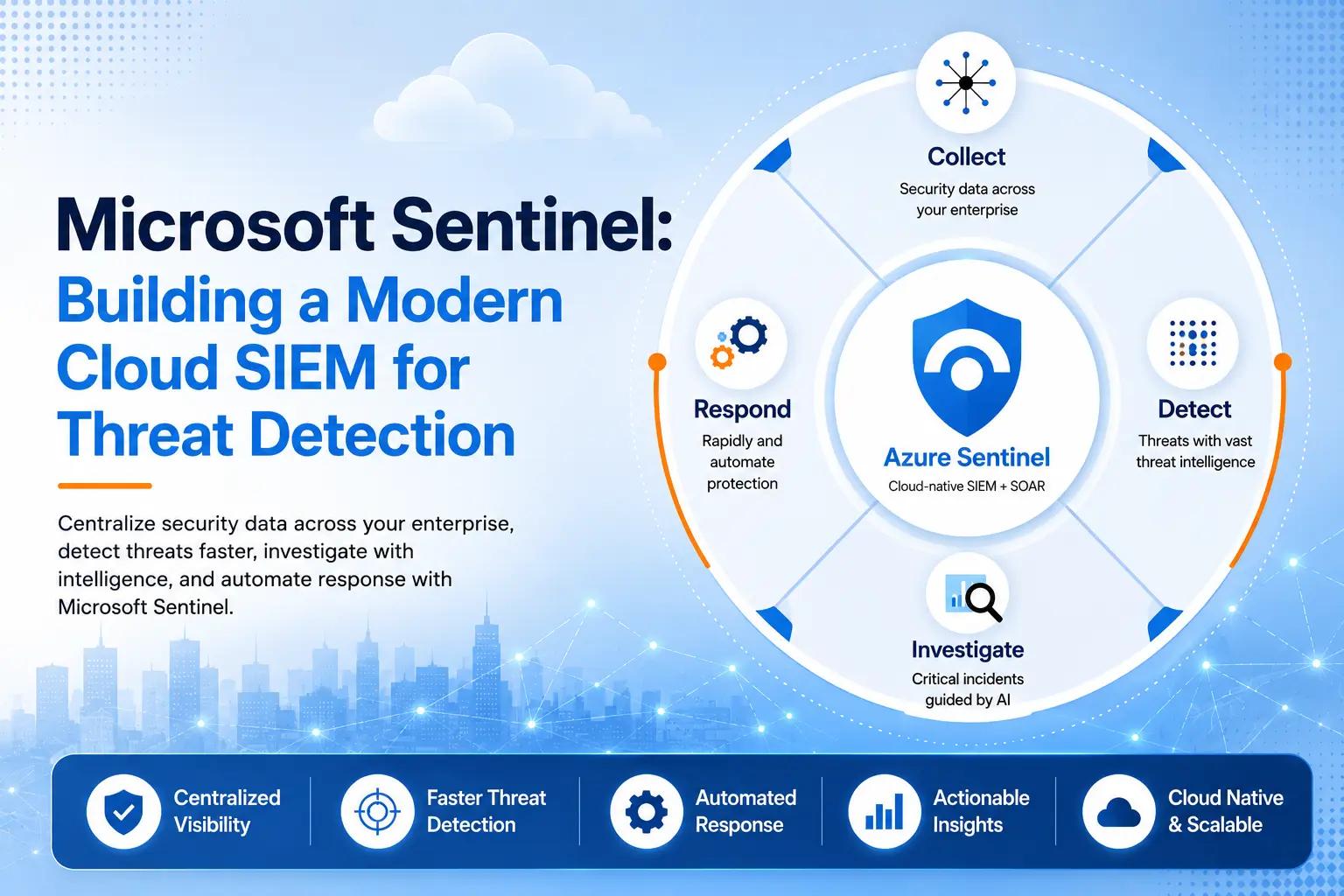
Microsoft Sentinel is a cloud-native SIEM and SOAR platform designed to help organizations:
- centralize security visibility
- detect threats faster
- investigate incidents efficiently
- automate security operations
What Is Microsoft Sentinel?
Microsoft Sentinel is Microsoft’s cloud-native:
- SIEM (Security Information and Event Management)
- SOAR (Security Orchestration, Automation, and Response) platform.
Built on Azure, Sentinel helps organizations collect, analyze, correlate, and respond to security events across their environments.
Unlike traditional SIEM platforms that require dedicated infrastructure, Sentinel operates as a scalable cloud service.
Why Organizations Need a Modern SIEM
Security data is now spread across:
- Microsoft 365
- Azure
- endpoints
- firewalls
- identity providers
- third-party cloud platforms
Without centralized visibility:
- threats go unnoticed
- alerts become fragmented
- investigations take longer
- response times increase
A modern SIEM helps security teams:
- correlate events
- prioritize incidents
- identify suspicious activity faster
- improve operational visibility
Core Components of Microsoft Sentinel
Data Connectors
Microsoft Sentinel connects to multiple data sources including:
- Microsoft 365
- Microsoft Defender
- Microsoft Entra ID
- Azure Activity Logs
- firewalls
- Linux & Windows servers
- third-party security products
This creates a centralized security monitoring environment.
Analytics Rules
Analytics rules help identify suspicious behavior automatically.
Examples include:
- impossible travel sign-ins
- brute-force login attempts
- suspicious PowerShell activity
- malware detections
- privilege escalation attempts
Rules can generate incidents automatically for investigation.
Incident Management
Sentinel correlates related alerts into unified incidents.
This helps security teams:
- reduce alert fatigue
- understand attack timelines
- investigate incidents more efficiently
Analysts can view:
- affected users
- devices
- IP addresses
- related alerts
- activity timelines
all within a single investigation experience.
Workbooks & Dashboards
Sentinel provides interactive dashboards called Workbooks.
These visual dashboards help organizations monitor:
- authentication activity
- threat trends
- security incidents
- user behavior
- endpoint activity
Workbooks improve operational visibility and executive reporting.
Automation & SOAR
One of Sentinel’s strongest capabilities is automation.
Using:
- Logic Apps
- Playbooks
- automation rules
organizations can:
- notify teams automatically
- create tickets
- isolate compromised devices
- disable risky accounts
- trigger response workflows
This reduces manual effort and improves response speed.
Real-World Use Cases
Detecting Suspicious Sign-Ins
Sentinel can identify:
- impossible travel events
- risky logins
- unusual authentication patterns
This helps security teams detect compromised accounts earlier.
Monitoring Privileged Accounts
Administrative accounts are high-value targets.
Sentinel can monitor:
- privileged sign-ins
- role changes
- abnormal admin behavior
- suspicious access attempts
Investigating Malware Activity
By integrating with Microsoft Defender, Sentinel can correlate:
- endpoint alerts
- email threats
- identity signals
- cloud activity
into a unified incident.
Improving Security Visibility
Many organizations lack centralized monitoring.
Sentinel helps consolidate:
- cloud logs
- identity events
- endpoint telemetry
- application activity
into a single platform.
Benefits of Microsoft Sentinel
Cloud-Native Scalability
Organizations avoid maintaining:
- SIEM servers
- storage infrastructure
- hardware scaling
Sentinel scales dynamically in Azure.
Deep Microsoft Integration
Sentinel integrates natively with:
- Microsoft 365
- Defender XDR
- Entra ID
- Azure
This simplifies deployment and visibility.
Faster Threat Detection
Built-in analytics and threat intelligence help organizations detect suspicious activity earlier.
Automation Capabilities
Automating repetitive tasks reduces operational burden on security teams.
Centralized Security Operations
Sentinel provides a unified platform for:
- monitoring
- investigation
- incident response
- reporting
Common Challenges
While Sentinel is powerful, organizations should plan for:
- data ingestion costs
- alert tuning requirements
- learning curve for KQL queries
- operational process maturity
Starting small and tuning gradually is usually the best approach.
Best Practices for Getting Started
Organizations adopting Sentinel should:
- start with Microsoft data connectors first
- enable core analytics rules gradually
- monitor privileged identities carefully
- reduce noisy alerts over time
- automate repetitive workflows carefully
- integrate Microsoft Defender products where possible
Microsoft Sentinel and Zero Trust
Zero Trust requires continuous visibility into:
- users
- devices
- applications
- access patterns
- security events
Microsoft Sentinel supports Zero Trust strategies by helping organizations:
- monitor continuously
- detect anomalies
- investigate suspicious behavior
- respond faster to incidents
Final Thoughts
Modern security operations require more than isolated alerts and disconnected monitoring tools.
Organizations need:
- centralized visibility
- scalable monitoring
- faster investigation workflows
- automation-driven response
Microsoft Sentinel helps organizations modernize security operations using a cloud-native SIEM platform built for today’s hybrid and cloud environments.
For businesses already invested in Microsoft 365 and Azure, Sentinel can become a powerful foundation for proactive threat detection and security monitoring.
Need help deploying or optimizing Microsoft Sentinel?
Techatix helps organizations build secure Microsoft cloud environments with practical monitoring, identity protection, and security operations solutions.
Contact us to learn more.