Introduction
Collecting logs is only the first step in building an effective security operations capability.
Without detection logic, organizations are simply storing large volumes of security data without gaining meaningful security insights. Microsoft Sentinel Analytics Rules transform raw telemetry into actionable alerts by identifying suspicious activity, correlating events, and automatically generating incidents for investigation.
In this article, we explore how Analytics Rules work, why they matter, and how organizations can build effective detection strategies.
What Are Analytics Rules?
Analytics Rules are detection mechanisms within Microsoft Sentinel that analyze incoming security telemetry and generate alerts when suspicious patterns are identified.
They help security teams:
- Detect threats earlier
- Reduce manual monitoring
- Correlate activity across systems
- Improve incident response
- Automate security operations
Think of Analytics Rules as the intelligence layer sitting on top of your collected logs.
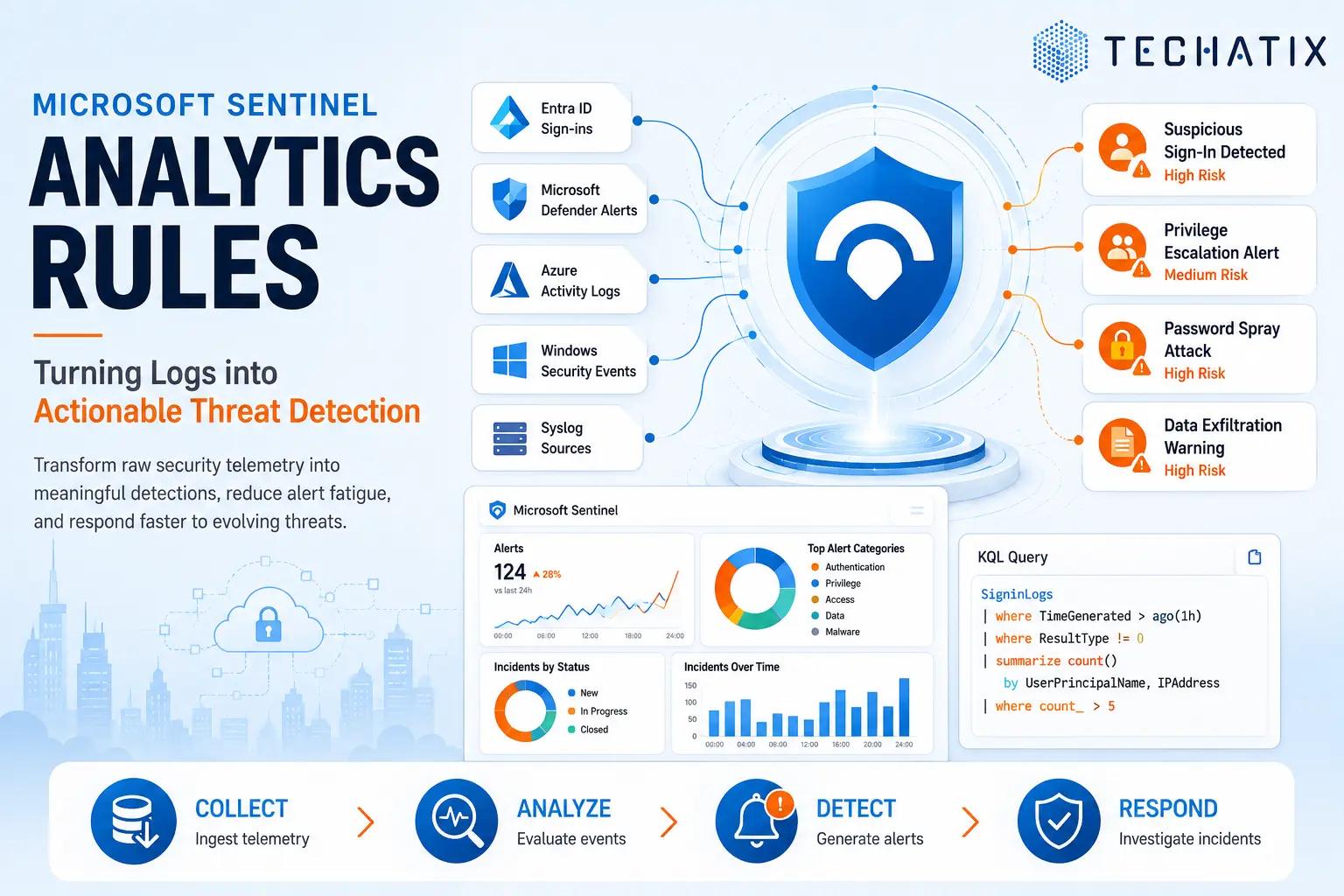
How Analytics Rules Work
Microsoft Sentinel follows a simple but powerful process.
Collect
Data enters Sentinel through configured data connectors.
Common sources include:
- Microsoft Entra ID
- Microsoft Defender XDR
- Azure Activity Logs
- Windows Security Events
- Syslog Sources
- Firewall Platforms
Analyze
Analytics Rules continuously evaluate incoming telemetry using predefined conditions or custom KQL queries.
Detect
When suspicious activity matches rule conditions:
- Alerts are generated
- Incidents may be created automatically
- Security teams are notified
- Playbooks can be triggered
Investigate
Security analysts review incidents, gather context, and determine the appropriate response.
Types of Analytics Rules
Scheduled Rules
Scheduled Rules are the most common type of Analytics Rule.
These rules execute at defined intervals and evaluate historical data against specific conditions.
Examples include:
- Excessive failed login attempts
- Impossible travel detections
- Privilege escalation activity
- Suspicious administrative actions
Microsoft Security Rules
These rules automatically ingest alerts generated by Microsoft security products.
Examples include:
- Defender for Endpoint detections
- Defender for Identity alerts
- Defender for Office 365 incidents
- Defender for Cloud findings
Organizations gain immediate visibility without needing to create custom detections.
Fusion Rules
Fusion uses machine learning to correlate multiple low-confidence signals into high-confidence incidents.
Examples include:
- Identity compromise
- Endpoint compromise
- Lateral movement
- Multi-stage attack chains
Fusion helps identify sophisticated attacks that may be missed by standalone alerts.
Near Real-Time Rules
Near Real-Time (NRT) Rules provide rapid detection for critical security events.
Common use cases include:
- Privileged role assignments
- High-risk sign-ins
- Critical account changes
- Security policy modifications
Common Detection Scenarios
Suspicious Sign-In Activity
Detect:
- Impossible travel events
- Anonymous IP usage
- High-risk sign-ins
- Unusual geographic access patterns
Privileged Account Changes
Monitor:
- Administrative role assignments
- Permission changes
- Conditional Access modifications
- Security configuration changes
Multiple Authentication Failures
Identify:
- Password spraying
- Brute-force attacks
- Credential stuffing attempts
Data Exfiltration Indicators
Detect:
- Large file downloads
- Unusual file transfers
- Excessive sharing activity
- Sensitive data movement
Endpoint Threat Detection
Monitor:
- Malware alerts
- Suspicious process execution
- Persistence mechanisms
- Lateral movement behavior
Using KQL in Analytics Rules
Most custom Analytics Rules rely on Kusto Query Language (KQL).
KQL enables security teams to:
- Search large datasets efficiently
- Correlate events across multiple systems
- Identify behavioral anomalies
- Create organization-specific detections
Common use cases include:
- Failed login thresholds
- Rare administrative activity
- Geographic anomalies
- Device-based threat indicators
KQL provides the flexibility required to build advanced threat detection capabilities.
Reducing Alert Fatigue
One of the biggest challenges facing security teams is excessive alert volume.
Too many alerts can lead to:
- Missed incidents
- Slower response times
- Analyst burnout
- Reduced operational efficiency
To reduce alert fatigue:
- Start with high-confidence detections
- Tune thresholds regularly
- Exclude known safe activity
- Review alert trends frequently
- Disable unused rules
Effective security monitoring prioritizes quality over quantity.
Best Practices
Prioritize Identity-Based Detections
Most modern attacks involve identity compromise.
Focus initially on:
- Entra ID telemetry
- Conditional Access activity
- Privileged account monitoring
Use Built-In Templates
Microsoft provides numerous Analytics Rule templates.
Benefits include:
- Faster deployment
- Proven detection logic
- Reduced implementation effort
Review and Tune Regularly
Threat landscapes evolve continuously.
Organizations should routinely:
- Adjust thresholds
- Update detections
- Remove outdated rules
- Add new monitoring scenarios
Align Detections to Business Risk
Prioritize detections involving:
- Sensitive data
- Critical infrastructure
- Privileged users
- Executive accounts
Building an Effective Detection Strategy
Analytics Rules are the engine that transforms Microsoft Sentinel from a log repository into an intelligent threat detection platform.
Organizations that invest in well-designed detections gain:
- Faster threat identification
- Improved investigation workflows
- Better security visibility
- Reduced attacker dwell time
The objective is not simply collecting logs but transforming telemetry into actionable security intelligence.
Final Thoughts
Microsoft Sentinel Analytics Rules play a critical role in modern security operations.
By combining quality telemetry, effective detection logic, and ongoing tuning, organizations can significantly improve their ability to identify and respond to cyber threats.
Strong Analytics Rules help security teams move from reactive monitoring to proactive threat detection.
Need Help with Microsoft Sentinel?
Techatix helps organizations deploy, optimize, and secure Microsoft cloud environments through practical security operations, threat detection, and Microsoft Sentinel implementation services.
Contact us to learn how we can help strengthen your security monitoring strategy.